GUI File Transfer Clients (Cyberduck and FileZilla)
This guide provides configuration instructions for moving datasets, scripts, and analytical binaries between your local workstation and cluster storage trees using graphical user interface (GUI) desktop applications.
Cyberduck Integration
Cyberduck is a cross-platform, open-source storage browser optimized for both macOS and Windows desktop environments.
Key Application Features:
- Persistent Bookmarking: Securely saves remote storage profiles to eliminate manual profile re-entry.
- Native Drag-and-Drop: Fluidly move file blocks directly between your operating system file browser and the cluster arrays.
- Object Storage Connectivity: Native API support for Amazon S3, Google Cloud Storage, and Azure Blob containers.
Software Installation Binaries: Download from the official package registry: https://cyberduck.io
BRB Cluster
| Configuration Field | Target System Value |
|---|---|
| Server (Hostname) | scu-login01.med.cornell.edu OR scu-login02.med.cornell.edu |
| Port | 22 |
| Username | [your_cwid] |
| Password | Standard Account Password Tokens |
*NOTE: Target only a single interface endpoint target node (either 01 or 02). Do not pool or combine these destination URLs.
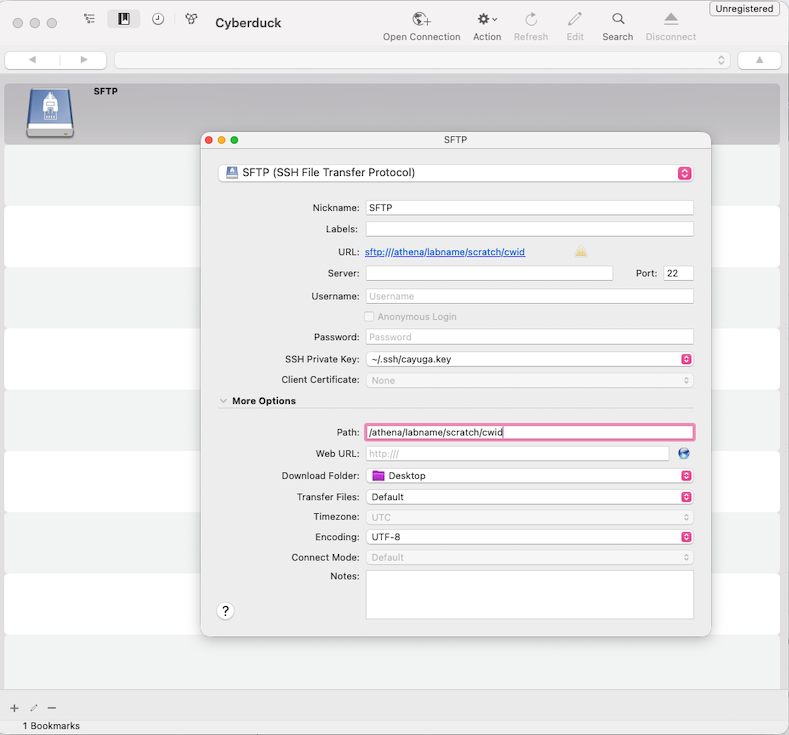
Cayuga Cluster
| Configuration Field | Target System Value |
|---|---|
| Server (Hostname) | cayuga-login1.cac.cornell.edu OR cayuga-login2.cac.cornell.edu |
| SSH Private Key | Expand the More Options toggle drawer and link your local private key file configuration. |
Cloud Storage: Amazon S3 Infrastructure
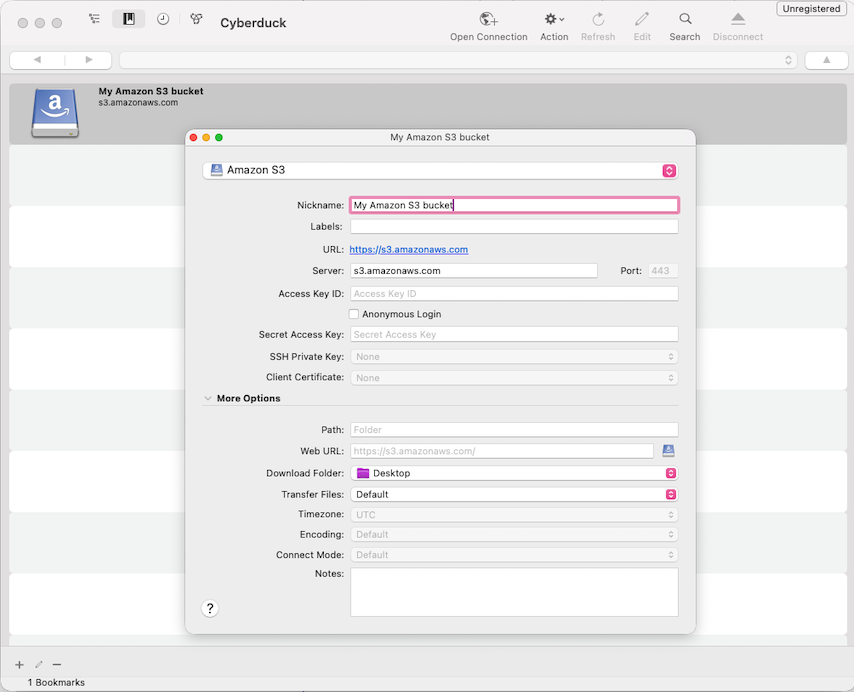
To create a direct pipe into remote object buckets, navigate to Bookmarks → New Bookmark, click the operational + (Add) icon element, and populate the parameter blocks:
- Protocol: Amazon S3
- Server Endpoint:
s3.amazonaws.com - Nickname: My Amazon S3 Bucket (Change this to your choice of name)
- Access Key ID / Secrets: Paste your secure enterprise AWS identity credentials.
- Target Path Structure: Provide the name of bucket (e.g.,
sculab-letters)
FileZilla Client
FileZilla offers a highly scalable, multi-threaded engine for broad local-to-remote staging files over secure shell tunnels. Retrieve binaries from the coordinator hub: filezilla-project.org
Site Manager Connection Parameters (BRB Cluster Profile)
| Site Manager Field | Target Entry Configuration |
|---|---|
| Protocol | SFTP – SSH File Transfer Protocol |
| Host | scu-login01.med.cornell.edu OR scu-login02.med.cornell.edu |
| Logon Type | Ask for Password OR Normal |
| User / Credentials | [your_cwid] + Active Account Password String |
| Port | 22 |
Advanced Step: Mapping Default Target Storage Arrays
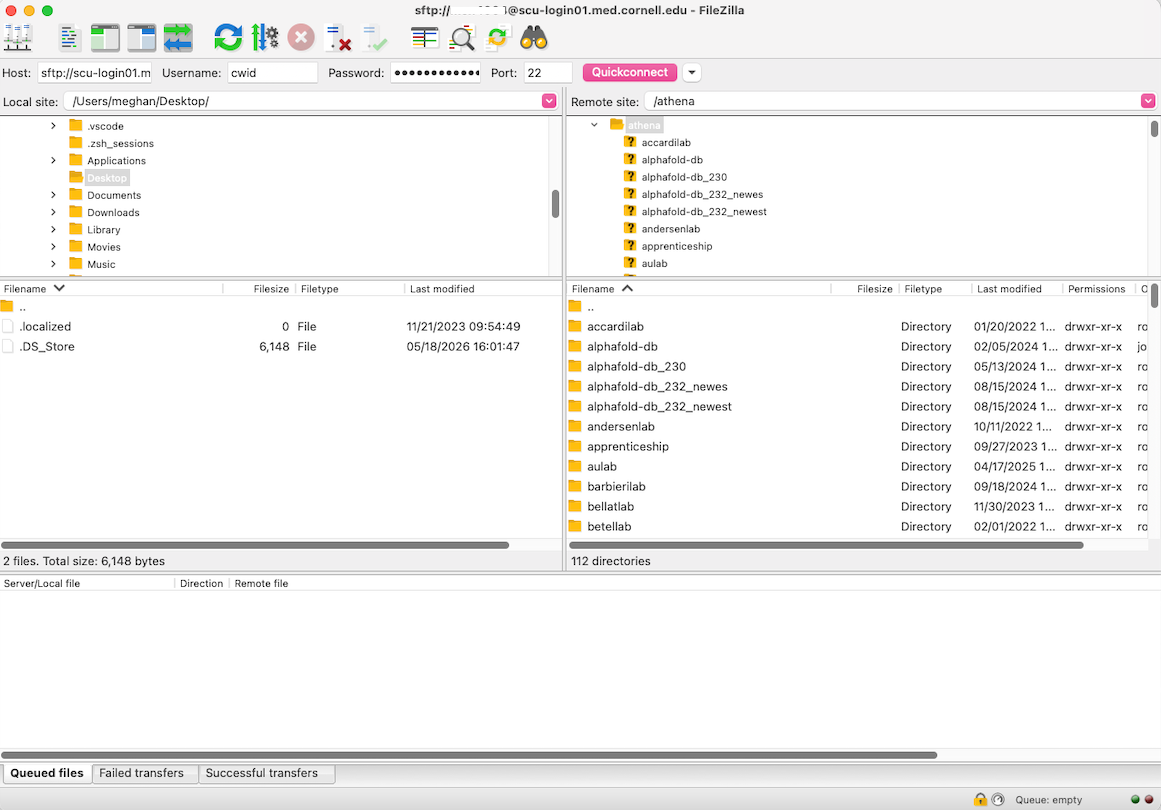
By default, SFTP connections land straight inside your home folder space. To configure the client to land straight inside /athena lab space, navigate to the Advanced profile tab inside your Site Manager item entry, and input the path inside the Default Remote Directory field:
/athena/labname/scratch