What is Open OnDemand?
Open OnDemand (OOD) is a browser-based portal that gives you access to SCU's high-performance computing (HPC) cluster — no command line or special software required.
Developed and maintained by the Ohio Supercomputer Center, Open OnDemand is used by over 2,100 research institutions worldwide. SCU's instance — SCU OnDemand — provides a unified gateway to scientific computing resources and research applications.
⚠
Note: You must be connected to the Weill Cornell Medicine VPN in order to access Open OnDemand from off-campus.
Three things you can do
📂
Manage your files
Upload, download, browse, and edit files directly from your browser without a file transfer client.
▶
Submit and monitor jobs
Queue compute jobs and check status in real time — no terminal commands required.
💻
Run interactive apps
Launch full GUI applications like Jupyter and RStudio that stream directly to your browser.
What's on the dashboard
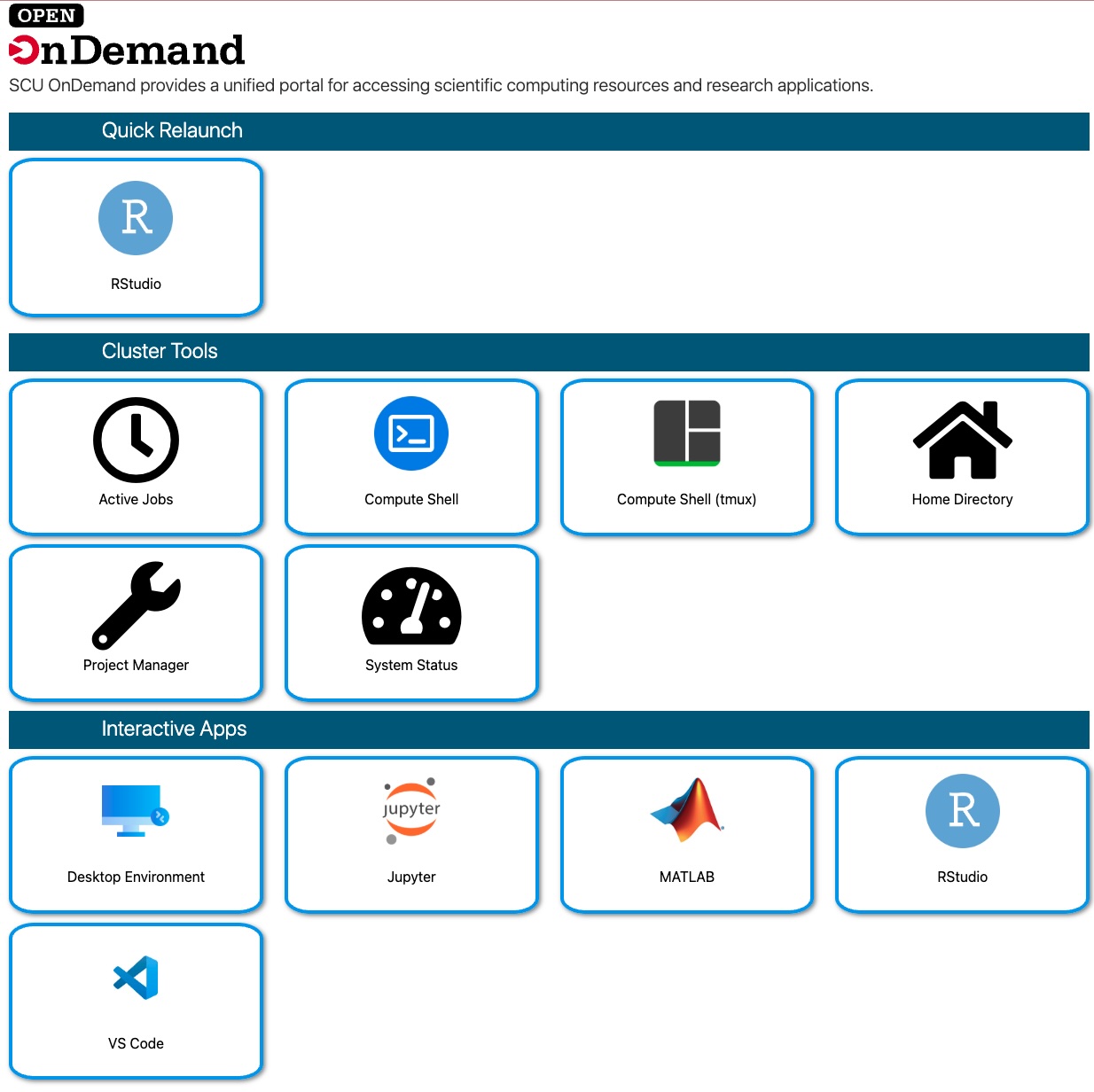
| Section | What it does | Tools included |
|---|---|---|
| Quick Relaunch | One-click shortcuts to recent apps. | Recent apps (e.g. RStudio) |
| Cluster Tools | Utilities for managing sessions and files. | Shell, Home Directory, System Status |
| Interactive Apps | Launch GUI-based research applications. | Jupyter, MATLAB, RStudio, VS Code |
How to launch an interactive app
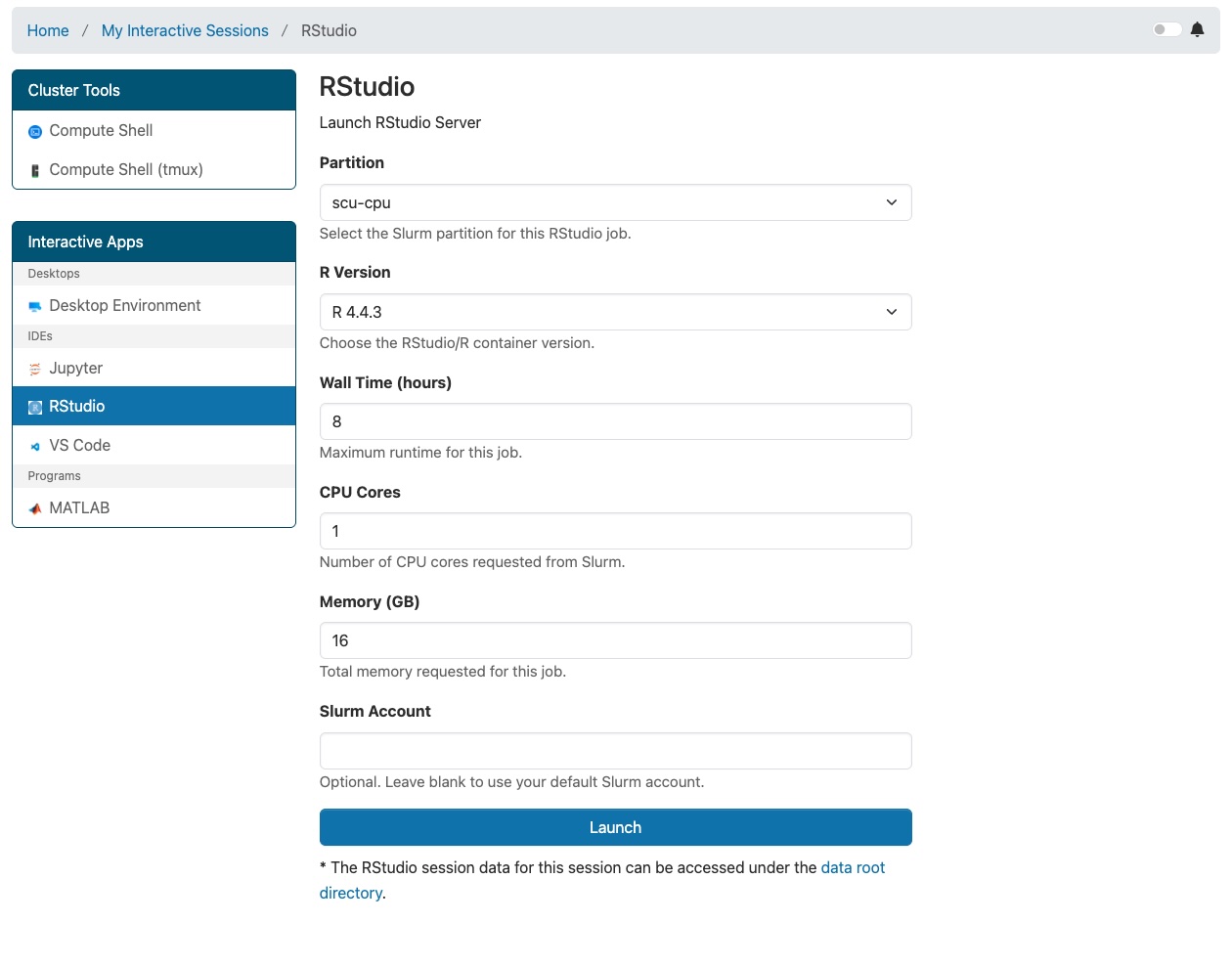
- From the dashboard navigation bar, click Interactive Apps.
- Select the application you want to use from the dropdown menu.
- Fill in the resource request form (account, hours, CPU, and memory).
- Click Launch. Your job will be submitted to the queue.
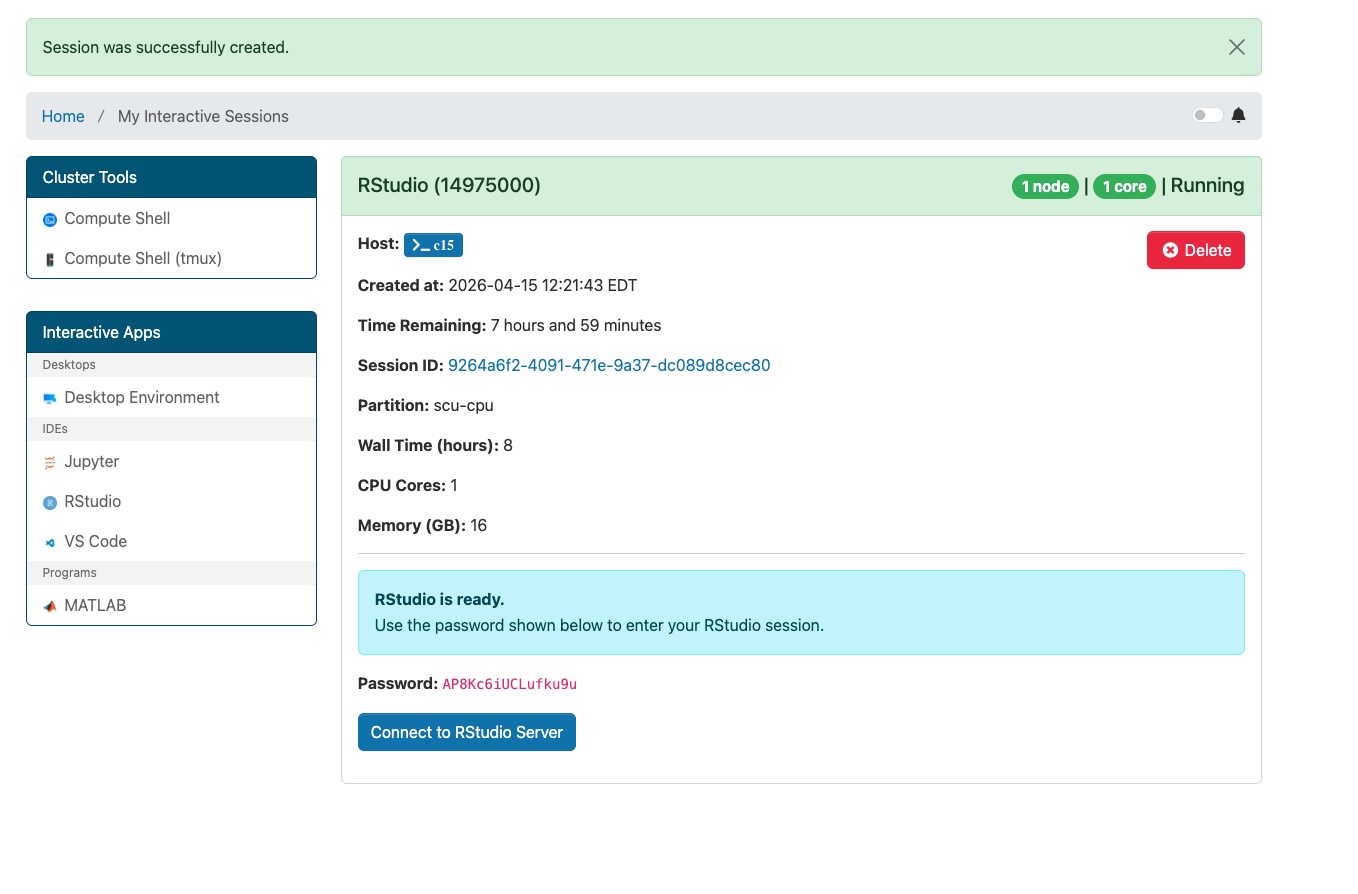
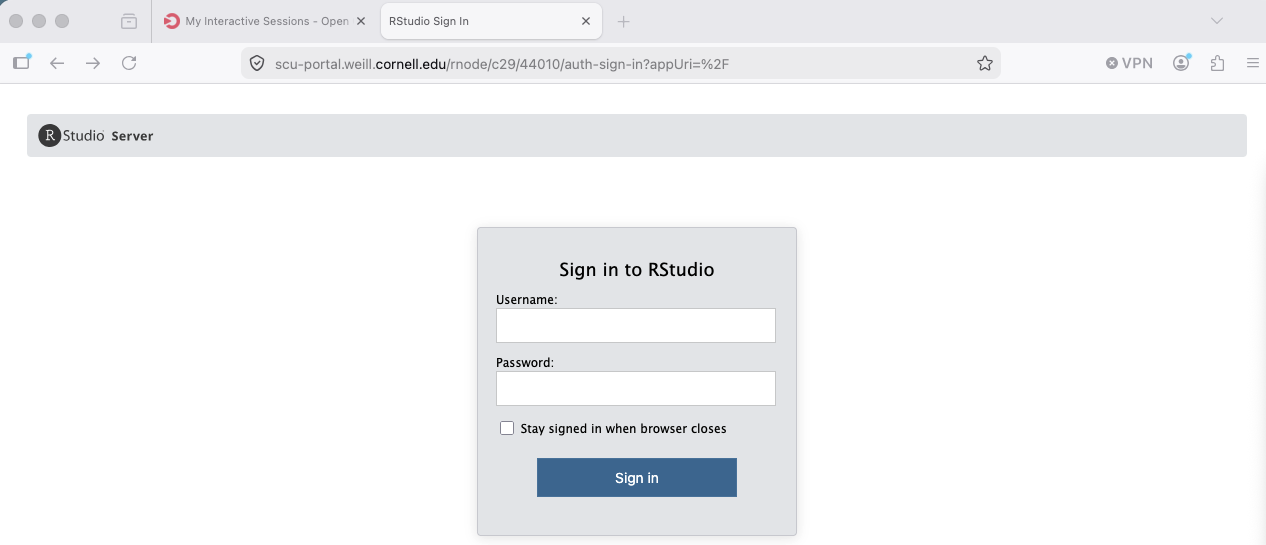
- When the job starts, click Connect to open your app.
Good to know
- Sessions keep running Closing your browser tab doesn't stop the job; you can reconnect later.
- Data stored on cluster Files are saved to your home/project directories, not your local machine.
- Terminal access Use "Compute Shell" from the dashboard for command-line access.
Available apps at SCU
RStudio Jupyter MATLAB Desktop Environment VS Code
Additional apps may be added over time. Contact the Scientific Computing Core if you need an application that is not currently listed.